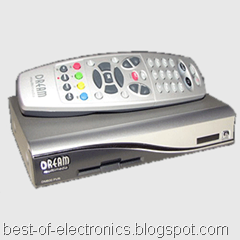
Frequently Asked Questions about receivers Openbox ® X-730/750/770CIPVR
- 1. Differences between the models OPENBOX ® X-730PVR, X-750PVR, X-770CIPVR and X-790CIPVR
2. Which processor built receivers?
3. How to connect the receiver to the component?
4. During the software update is lost electricity and the receiver does not turn
5. What file system supports drives receiver?
6. How to properly connect large-capacity drive?
7. In what format you're recording?

Differences between the models OPENBOX ® X-730PVR, X-750PVR, X-770CIPVR
At the moment the 700-series model, the following receivers:
| Model | Card reader | CI-Interface | Time-Shift | Record on | Color receiver |
| Openbox X-730PVR | 1 piece | no | No | Yes | silver |
| Openbox X-750PVR | 1 piece | no | built-in 1GB memory | Yes | silver |
| Openbox X-770CIPVR | 1 piece | 2 pcs | built-in 1GB memory | Yes | black or silver |
| Openbox X-790CIPVR | 1 piece | 2 pcs | built-in 1GB memory | Yes | black |
Which processor built receivers?


How to connect your receiver to your TV (LCD / Plasma panels) on the component?
To connect the need to purchase or make yourself cable SCART <-> 3 x RCA.

| Fork, inserted in the receiver | Openbox 300/800/7200 | Openbox 700-Series | RCA-connectors are included in the TV |
|
| 7 - B - Pb | 7 - B - Pb | |


During the software update is lost electricity and the receiver does not turn


The cable consists of three wires, two of whom are mixed (5-5, 2-3, 3-2).
If you use a laptop computer or simply do not have a computer COM-port, you can buy USB <-> RS-232 adapter, such Viewcon VE42.

Now run the program Porter, ask the mode (Mode - Software) and select the file with the software for our receiver.

The next step, click the Download button and turn on the receiver, to run the horizontal column with information on the percentage completion of the operation.

After the operation, on the front of the receiver will light inscription End, then the receiver will reboot and be ready to receive remote commands.
What file system supports drives receiver?
How to properly connect large-capacity drive?
1. Connect the drive to a computer with Windows XP and create a partition but not format it.


Now the receiver displays the amount of available disk and can be used to record programs.

After that, the contents of the disc will be available through normal conductor.